This page was maily translated from http://demura.net/archives/9ode by Babel Fish Translation.
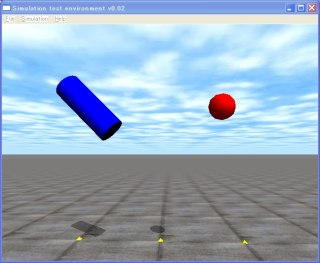
A New Year ! This is the 14th ODE (Open Dynamic Engine) Tutorial. It meaning that a demand that is many, in question we would like to do simulation to interactive, it made sample program 5 and increased. With ODE, being to accept the input from the keyboard in simulation, when it draws up the function and the like which, corresponds to the key which it inputs interactive the blotch … ration becomes possible. Don’t you think? ODE and ブログ interactive the place is one of charm.
Just the important part the source code is shown below. This program modifies sample2, indicates cylindrical object in other than the ball, makes the re-start of simulation possible with the input from the keyboard including external force.
[code]
/*** Preparation of the drawstuff ***/
void prepDrawStuff()
{
fn.version = DS_VERSION;
fn.start = &start;
fn.step = &simLoop;
fn.command = &command; // an address of a command function
fn.stop = NULL;
fn.path_to_textures = “../../drawstuff/textures”;
}
/** * a function which is called by a key input ***/
void command(int cmd)
{
switch (cmd) {
case ’s’: dBodyAddForce(pillar.body,50, 0, 0);break; // when ’s’ key is pressed
case ‘j’: dBodyAddForce(ball.body ,0,-10, 0);break;
case ‘k’: dBodyAddForce(ball.body ,0, 0,50);break;
case ‘l’: dBodyAddForce(ball.body ,0, 10, 0);break;
case ‘r’:restart() ;break;
}
}
/*** Simulation restart ***/
void restart()
{
// destruction
dJointGroupDestroy(contactgroup); // a contact group
destroyBall();
destroyCylinder();
// Creation
contactgroup = dJointGroupCreate(0);
createBall();
createPillar();
}
/*** Destruction of a ball ***/
void destroyBall()
{
dBodyDestroy(ball.body);
dGeomDestroy(ball.geom);
}
void destroyCylinder()
{
dBodyDestroy(pillar.body);
dGeomDestroy(pillar.geom);
}
static void simLoop (int pause)
{
if (!pause) {
dSpaceCollide(space,0,&nearCallback);
dWorldStep(world,0.01);
dJointGroupEmpty(contactgroup);
}
drawObject(ball.geom,1.3,0,0);
drawObject(pillar.geom,0,0,1.3);
}
[/code]
As for command function it is the function which processes the input from the keyboard. The letter of ‘r’ and the like which is to the right of case corresponds to the letter where the keyboard is pushed. If the processing which is necessary for this part is written, interactive it becomes possible to make simulation. Here, when the ‘r’ key is pushed, restart function is called, simulation re-is started.
Furthermore,beingto be here,downloading,please executethe source code.
When s, j and k of the keyboard, the l key is pushed, external force works in the cylinder and the ball, when the r key is pushed, simulation restarts, while pushing the control key, when you push the p key, stops at one time. Trial that.

コメント