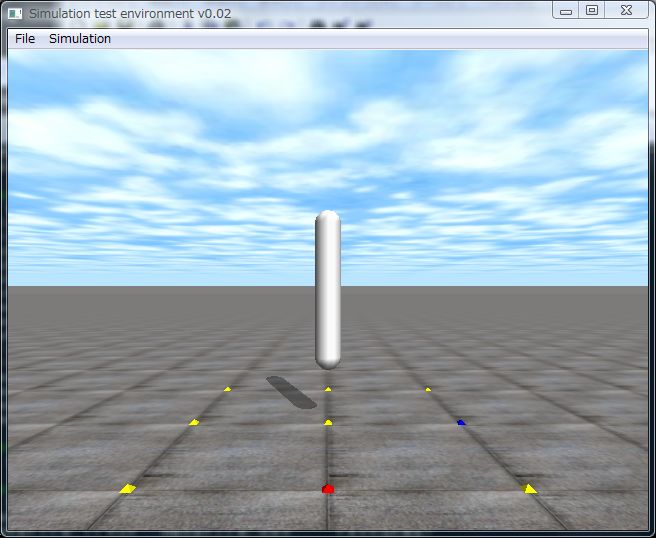
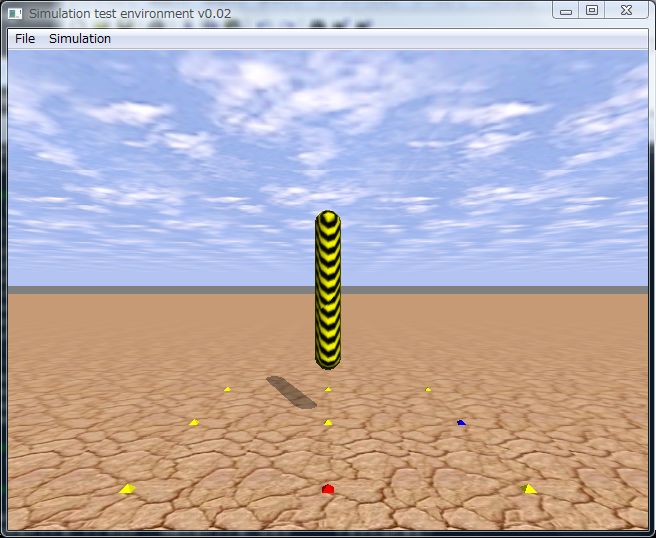
テクスチャを切り替えるサンプルプログラム
チップさんから「プログラムに関する質問なのですが、テクスチャをたくさん使うにはどうすればいいのでしょうか?LOOPの中でfn.path_to_texturesのパスを変えてもテクスチャが変わらなくて悩んでいます。というご質問を頂きました今回のODE講座で回答します。
simloopの中でpath_to_texturesのパスを変えてもテクスチャは変わりません。
dsStartGraphics()を使う必要があります。ただし、drawstuff.hの95行目のdsSimulationLoop()の下に以下の一行を追加して、ode-0.9のフォルダでmake,make installし直してください。ode-0.8だとエラーが出るようです。
DS_API void dsStartGraphics(int window_width, int window_height, struct dsFunctions *fn);
なお、シミュレーション中の複数の物体に違ったテクスチャを割り当てるためには、dsStartGraphics()を各物体を描画する前に、各物体毎に呼び出さなければいけず、描画速度が遅くなります。drawstuffのソースコードに手を加えるか、他の3Dグラフィクスライブラリを使用することをお勧めします。
そもそもdrawstuffはテストプログラムの表示用ライブラリなので凝ったことはできません。その代わりにソースも短くコードも複雑ではないのでOpenGLの勉強にもピッタリです。
以下に’t’キーと’u’キーを押すとテクスチャが切り替わるサンプルプログラムを紹介しますので参考にしてください。ここからダウンロード可能です。
[code]
// texture.cpp: テクスチャの変更 by Kosei Demura (2007-10-25)
#include
#include
#ifdef dDOUBLE
#define dsDrawBox dsDrawBoxD
#define dsDrawSphere dsDrawSphereD
#define dsDrawCylinder dsDrawCylinderD
#define dsDrawCapsule dsDrawCapsuleD
#endif
static dWorldID world;
static dSpaceID space;
static dGeomID capsule;
static int texture_flag = 0;
dsFunctions fn;
static void simLoop(int pause)
{
const dReal *pos;
const dReal *R;
dReal r, l;
pos = dGeomGetPosition(capsule);
R = dGeomGetRotation(capsule);
if (texture_flag == 0) dsSetTexture(DS_NONE);
else dsSetTexture(DS_WOOD);
fn.path_to_textures = “./textures”;
dsSetColor(1.2, 1.2, 1.2);
dGeomCapsuleGetParams(capsule, &r, &l);
dsDrawCapsule(pos, R, l, r);
}
void command(int cmd)
{
switch (cmd) {
case ‘t’:
fn.path_to_textures = “./textures”;
dsStartGraphics(640,480,&fn);
texture_flag = 1;
break;
case ‘u’:
fn.path_to_textures = “../../drawstuff/textures”;
dsStartGraphics(640,480,&fn);
texture_flag = 0;
break;
}
}
void start()
{
static float xyz[3] = { 3.0, 0.0, 1.0};
static float hpr[3] = {-180.0, 0.0, 0.0};
dsSetViewpoint(xyz, hpr);
dsSetSphereQuality(3);
}
void setDrawStuff()
{
fn.version = DS_VERSION;
fn.start = &start;
fn.step = &simLoop;
fn.command = &command;
fn.stop = NULL;
fn.path_to_textures = “../../drawstuff/textures”;
}
// カプセルジオメトリの生成
void makeCapsule()
{
dReal r = 0.1, l = 1.0;
capsule = dCreateCapsule(space, r, l); // 直方体ジオメトリの生成
dGeomSetPosition(capsule, 0, 0, 1); // 位置の設定
}
int main(int argc, char *argv[])
{
setDrawStuff();
world = dWorldCreate();
space = dHashSpaceCreate(0);
makeCapsule();
dsSimulationLoop(argc,argv,640,480,&fn);
dWorldDestroy(world);
return 0;
}
[/code]

コメント